WhatsApp Floating Button for Botble CMS
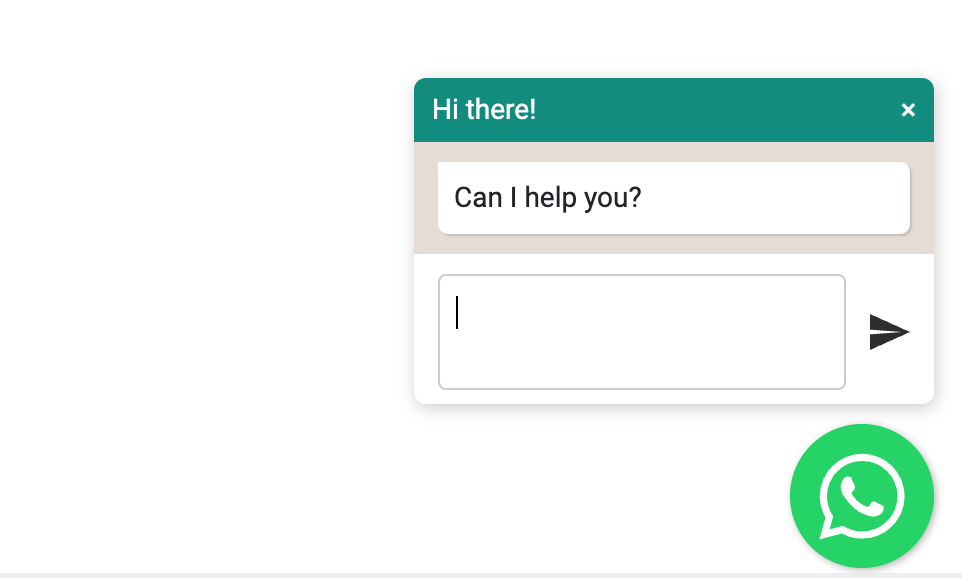
WhatsApp Floating Button is a plugin for Botble CMS. It allows you to add a floating button with WhatsApp chat to your website.

Requirements
Botble core 6.5.0 or higher.
Installation
Install via Admin Panel
Go to the Admin Panel and click on the Plugins tab. Click on the "Add new" button, find the WhatsApp Floating Button plugin and click on the "Install" button.
Install manually
Download the plugin from the Botble Marketplace
Extract the downloaded file and upload the extracted folder to the platform/plugins directory.
Go to Admin > Plugins and click on the Activate button.
Usage
First, you need to go to Admin -> WhatsApp Floating Button -> Settings tab to set up your information.
Setting

خذها إلى عربة التسوق الخاصة بك


بالنقر على الزر، فإنك توافق على الشروط والأحكام الخاصة بنا.